Free Version
Where is the package manager
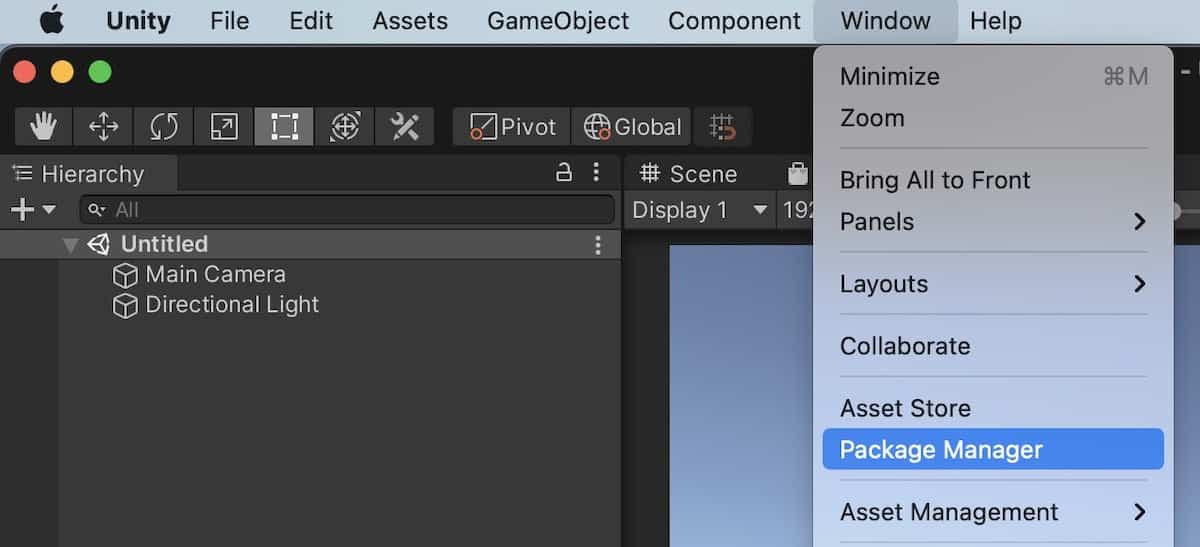
Package Manager is located under menu Window. The menu bar would be at the top of the screen in macOS while at the top of the Unity window in Windows.
How to add UPM packages
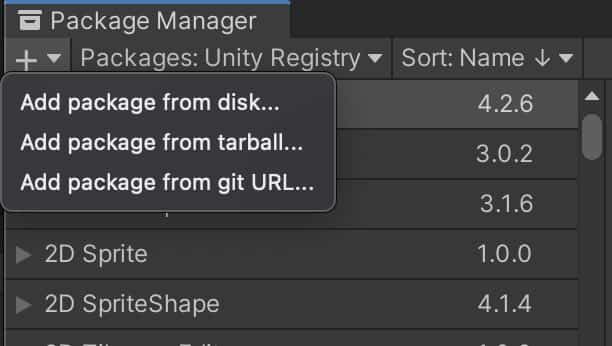
If you cannot see the dropdown list, drag the title of package manager panel to un-dock the window, and then try again.
View more info about the package
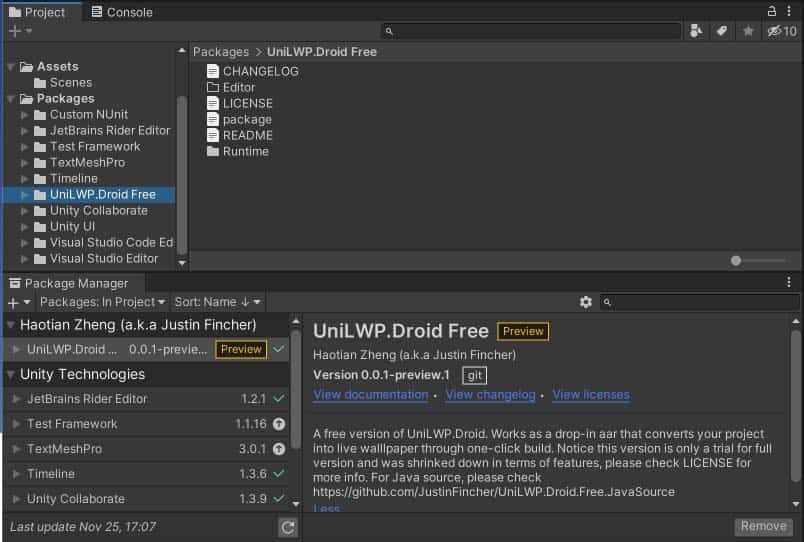
Newly added files are groupped and shown within the Packages section of the project panel
Ideal project settings
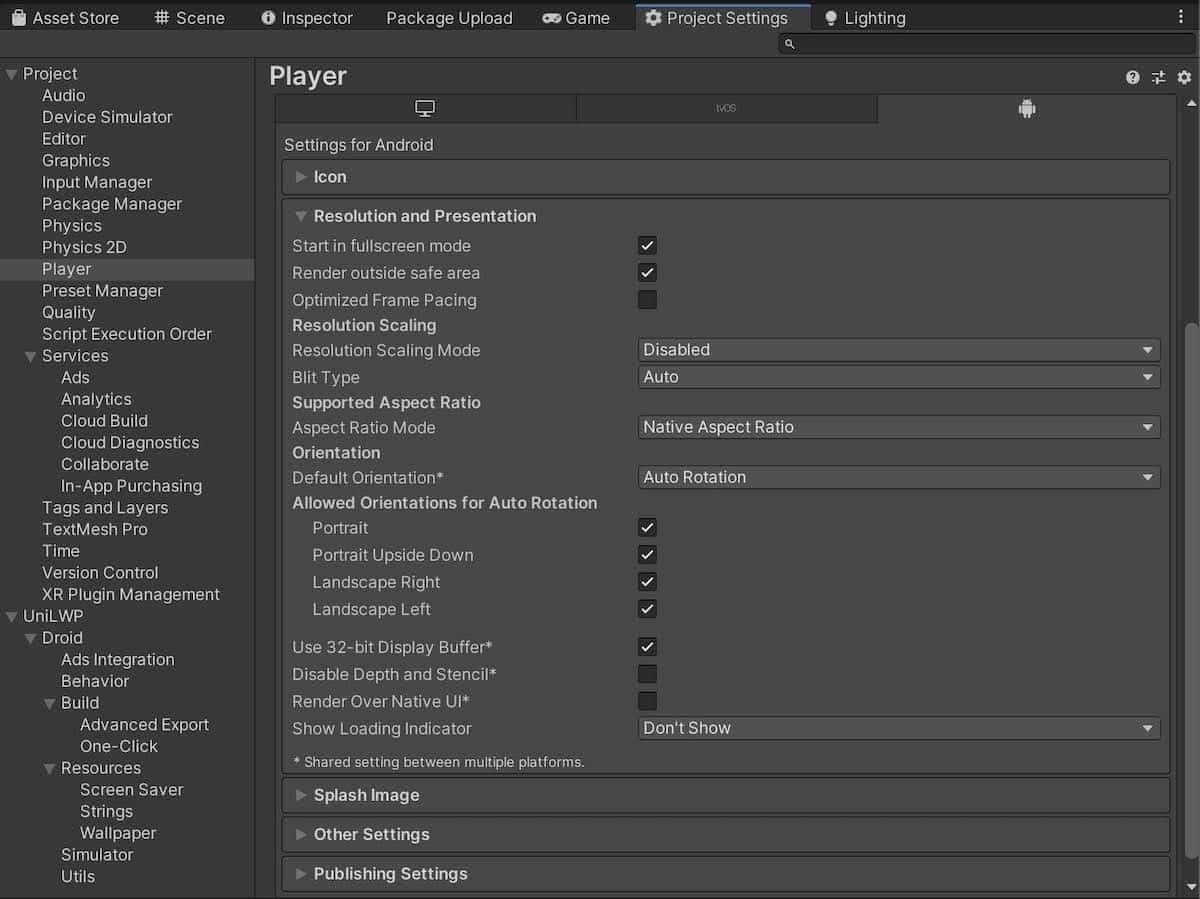
Project/Player/Resolution and Presentation
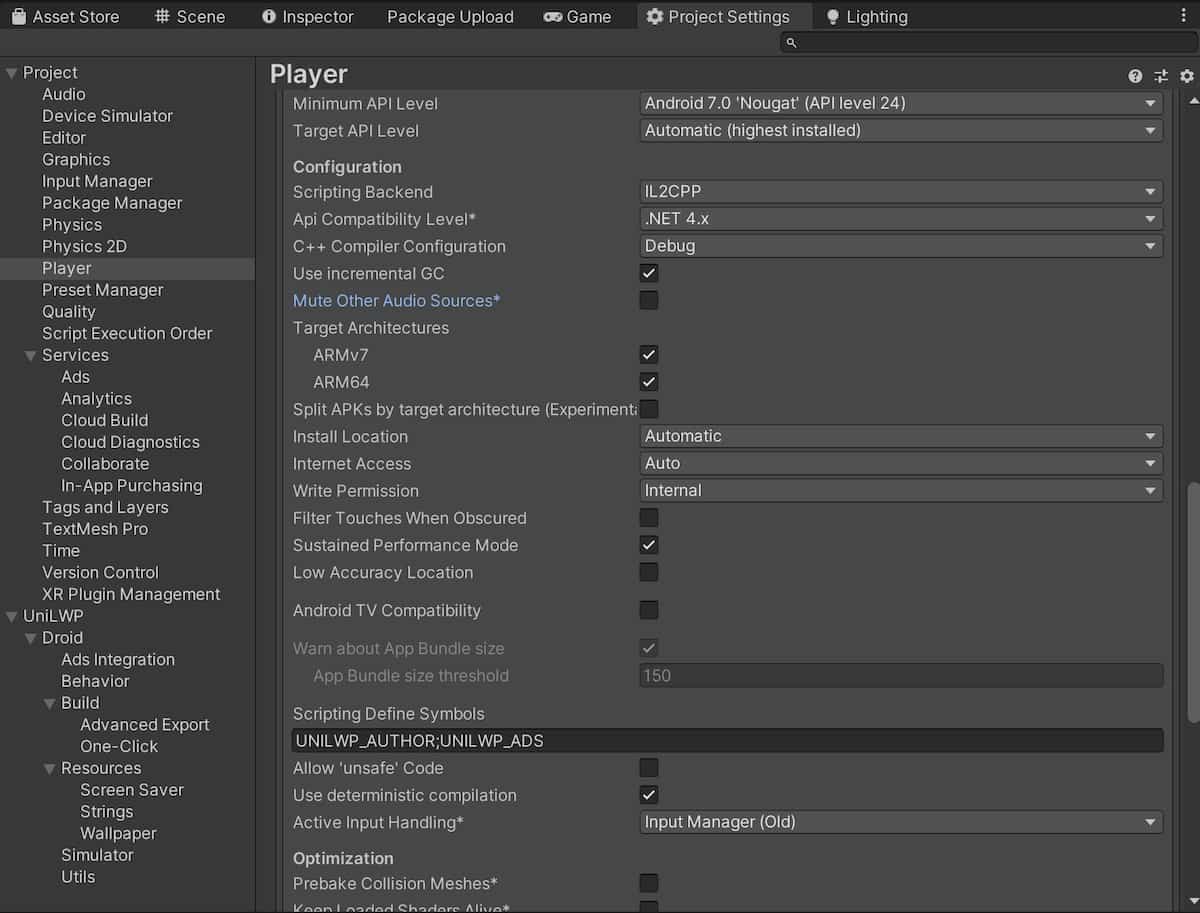
Project/Player/Other Settings
Import
The free version, UniLWP.Droid.Free, is hosted on GitHub as an UPM package.
To import, first open package manager via menu
Window/Package Manager.Then, at the top-left of the newly opened package manager window, you will find a plus sign. Click on it and select
Add package from git URL...Paste the following URL into the field and press enter:
https://github.com/JustinFincher/UniLWP.Droid.Package.Free.git
Unity should download and load UniLWP.Droid as an UPM-formatted dependency.
Or, if you are familiar with package.json, you are free to do paste this line into your json file:
1"dependencies":
2{
3   "com.justzht.unilwp.droid.free": "https://github.com/JustinFincher/UniLWP.Droid.Package.Free.git" // this line
4}
Setup
Toggle Project Settings panel via menu path Edit/Project Settings...
Go to
Project/Playerand adjust certain items:In
Player/Resolution and Presentation, make sure that bothOptimized Frame PacingandRender Over Native UIare unchecked.In
Player/Other Settings, make sure that bothMute Other Audio SourcesandFilter Touches When Obscuredare unchecked, theMinimal API LevelisAndroid 7.0 Nougat (API Level 24). You might also want to changeGraphics APIstoOpenGLES3only, but that is optional.
Go to
Project/Audioand adjust certain items:Check
Disable Unity Audioif you don’t want your wallpaper to play sounds.
Build
It is the same as the default Unity build pipeline, that you only need to trigger a build through the default File/Build And Run menu path. The plugin will be packed into the final apk file and be initialized as soon as possible to handle Unity lifecycles.