Store Version
Note
As Unity 2020.1 deprecated the Unity Asset Store web browser panel in favour of the package manager, you need to use package manager to import UniLWP.Droid on 2020.1+
Where is the package manager
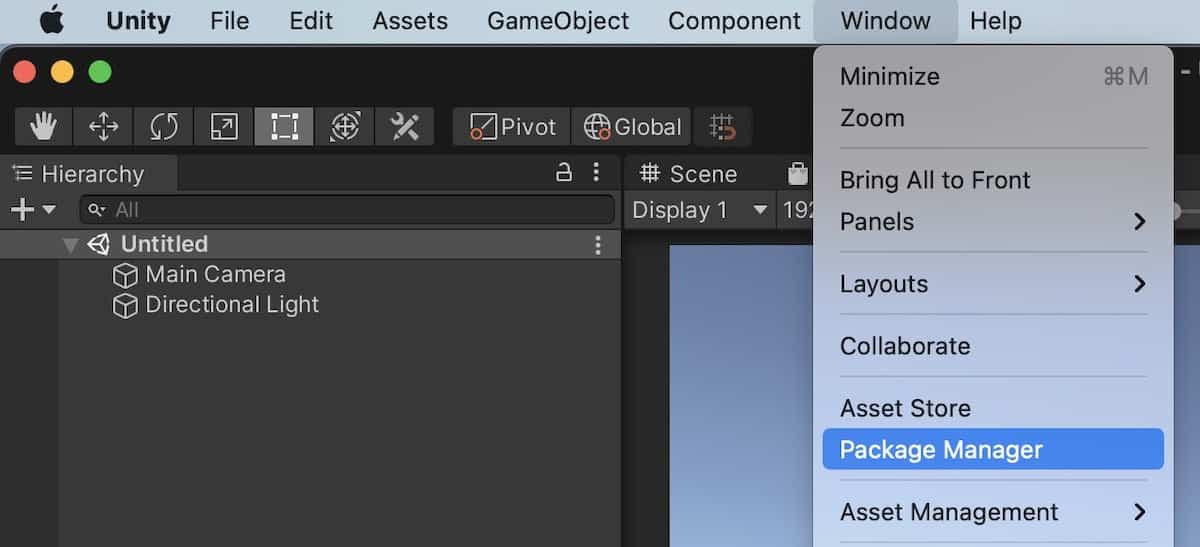
Package Manager is located under menu Window. The menu bar would be at the top of the screen in macOS while at the top of the Unity window in Windows.
How to find asset store packages you bought before in package manager
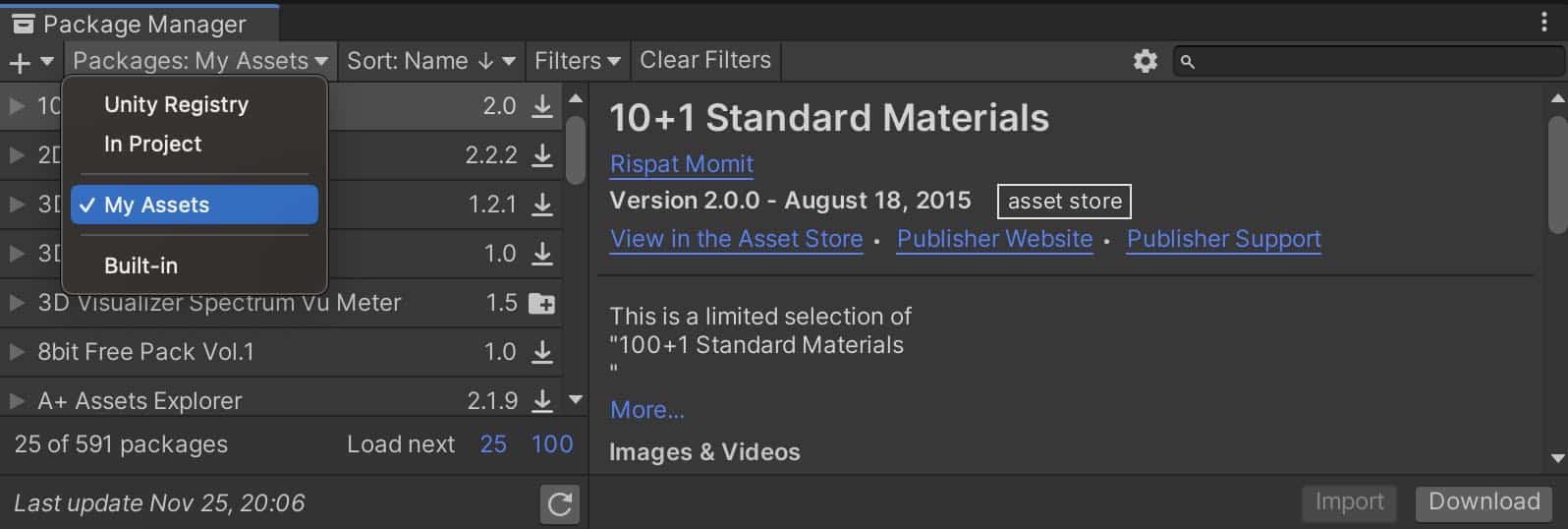
Switch package scope at the top-left menu, then use the search field at the top-right to search your assets.
How to import asset store packages in package manager
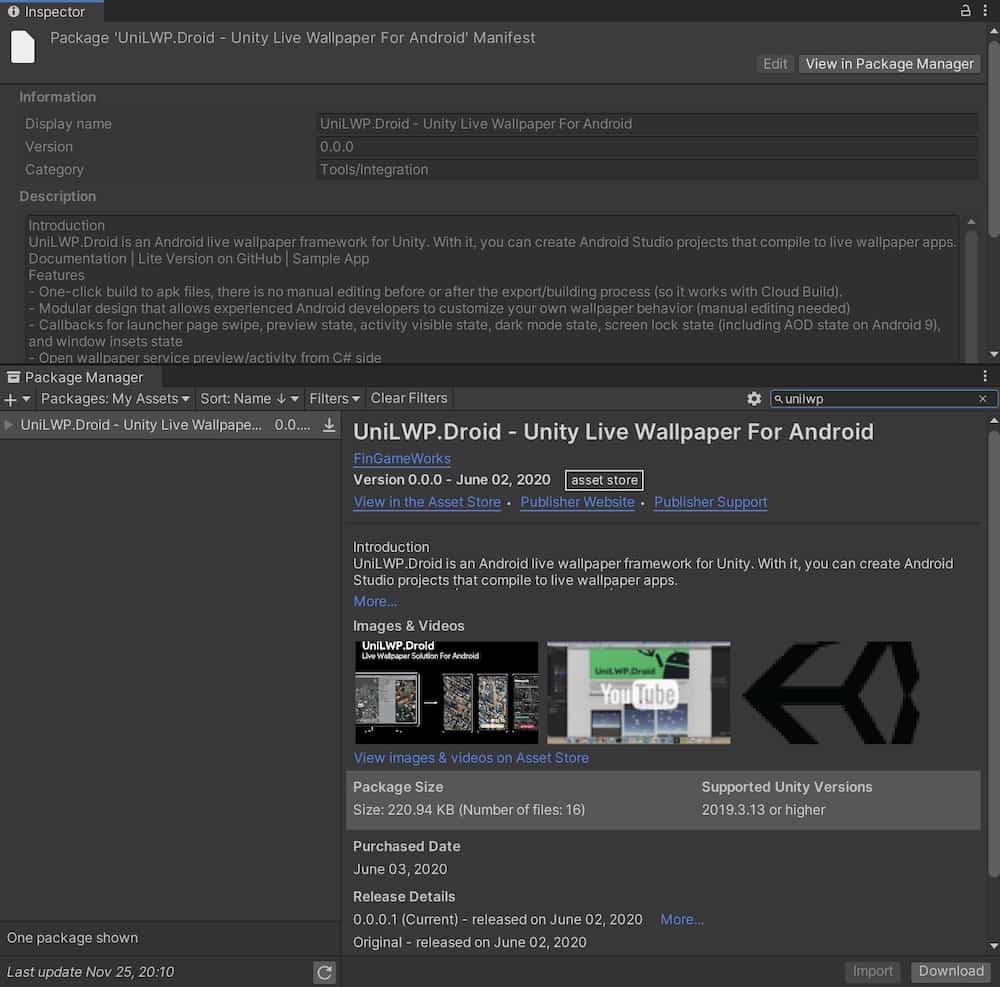
Choose the asset at the left sidebar, then press download and then import buttons at the bottom-right.
Ideal project settings
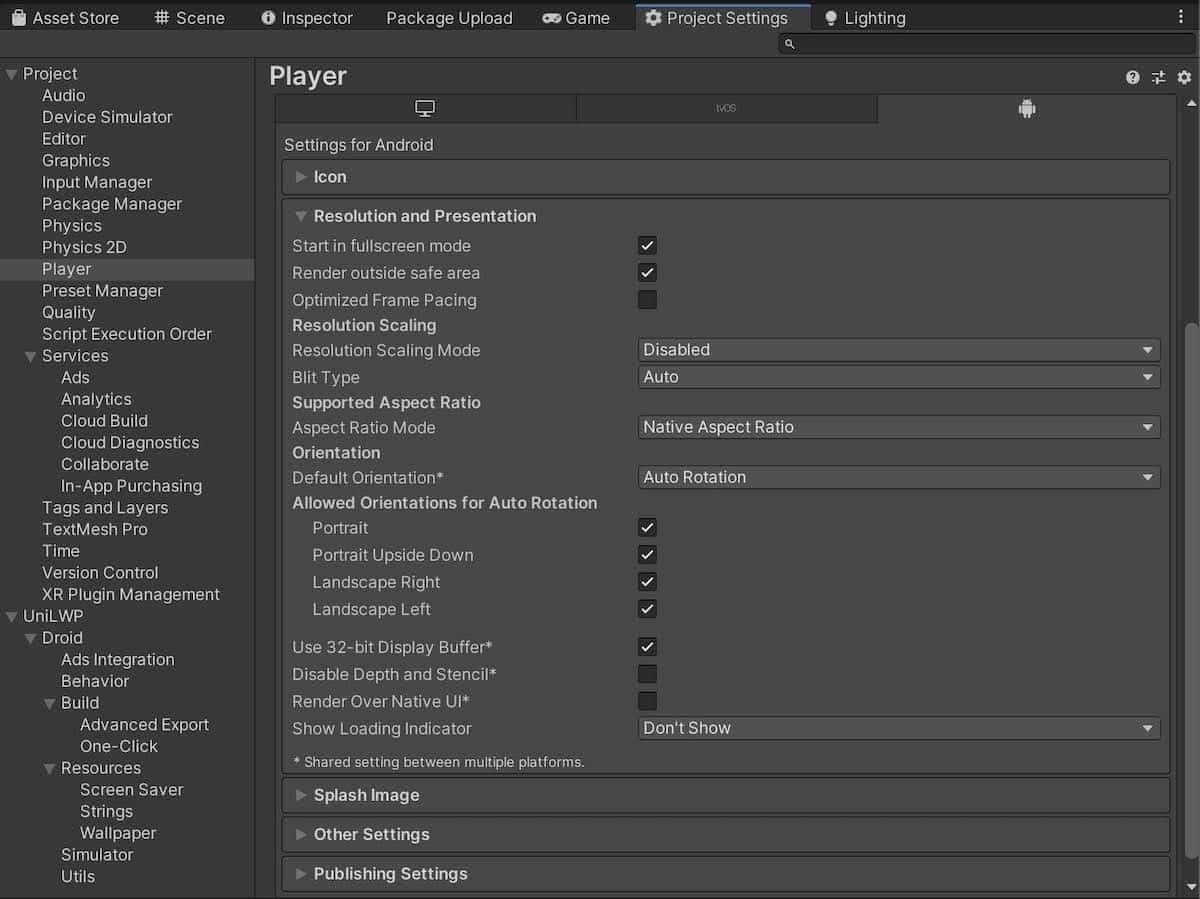
Project/Player/Resolution and Presentation
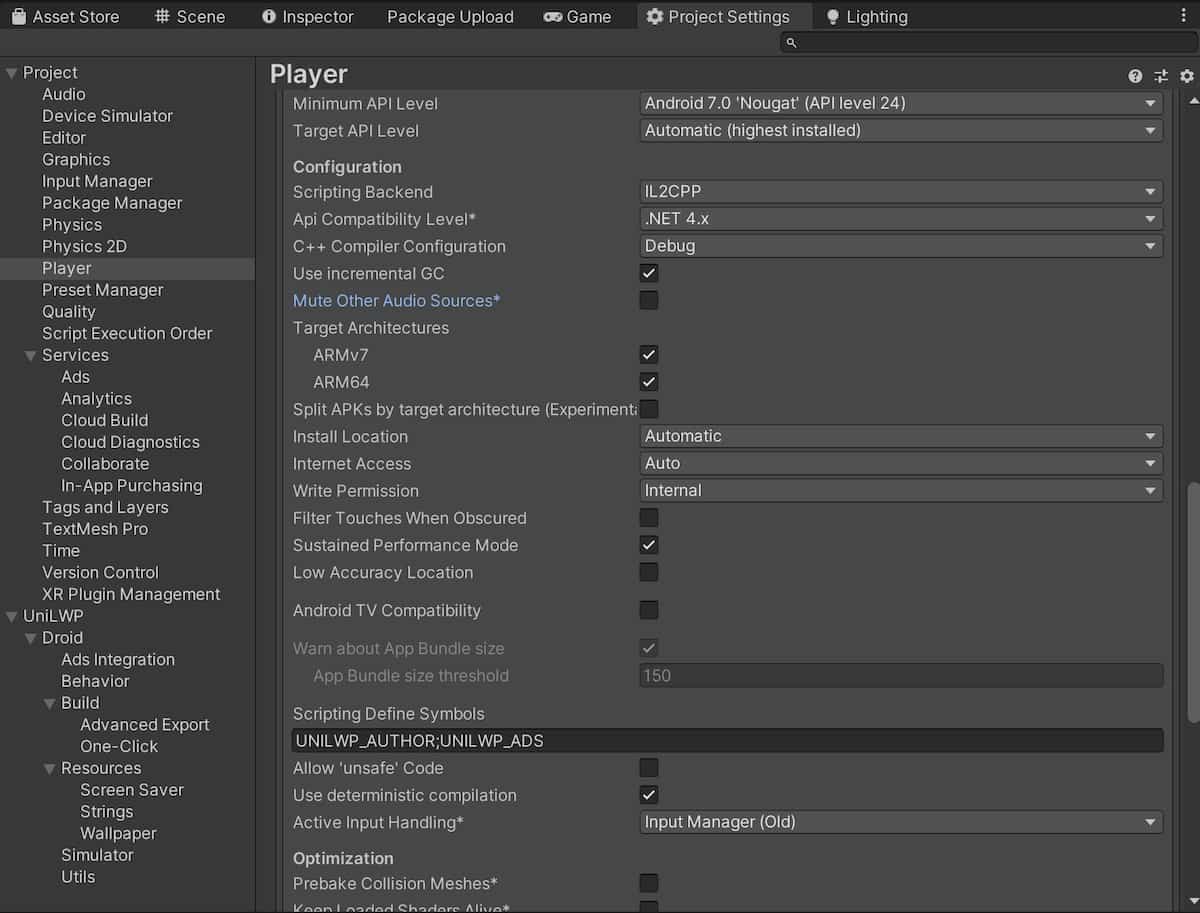
Project/Player/Other Settings
The paid version, UniLWP.Droid.Store, is distributed on Unity Asset Store as a .unitypackage file.
Import On 2020.1 +
Open package manager via menu
Window/Package Manager.Switch package scope to
Packages: My Assetsand searchUniLWPChoose
UniLWP.Droid - Unity Live Wallpaper For Android, then download and import
Import On 2019.3 +
Open asset store panel via menu
Window/Asset Store.Search for
UniLWPin the newly opened web version of asset store.Choose
UniLWP.Droid - Unity Live Wallpaper For Android, then download and import
Setup
Toggle Project Settings panel via menu path Edit/Project Settings...
Go to
Project/Playerand adjust certain items:In
Player/Resolution and Presentation, make sure that bothOptimized Frame PacingandRender Over Native UIare unchecked.In
Player/Other Settings, make sure that bothMute Other Audio SourcesandFilter Touches When Obscuredare unchecked, theMinimal API LevelisAndroid 7.0 Nougat (API Level 24). You might also want to changeGraphics APIstoOpenGLES3only, but that is optional.
Go to
Project/Audioand adjust certain items:Check
Disable Unity Audioif you don’t want your wallpaper to play sounds.
Go to
UniLWPand change settings as you like. Please refer to Customize Look and Feel for options.